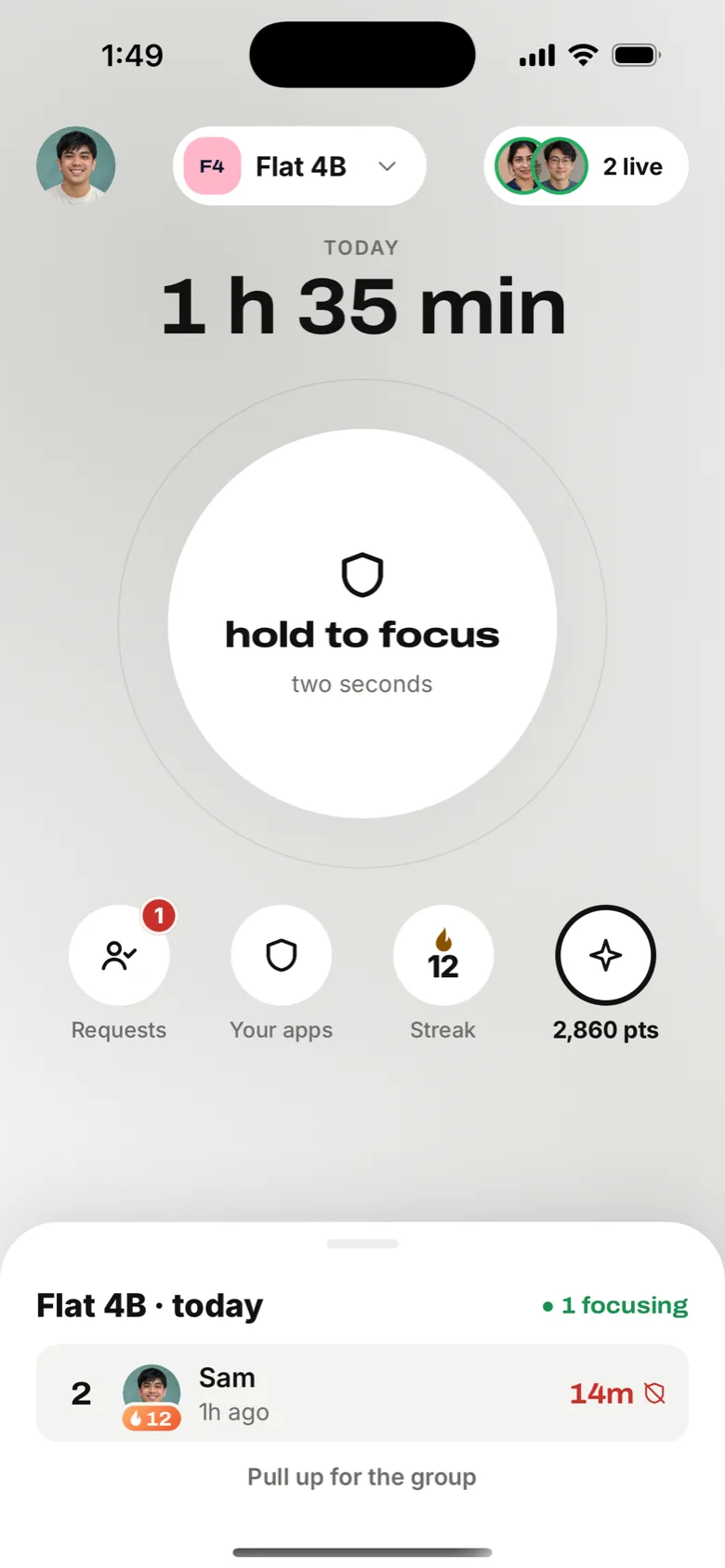
home
Hold for two seconds and your shield is on.
Block distracting apps with your friends. A friend approves the few apps you keep, and everyone’s progress shows on a shared board. You and one friend are enough to start.


Limits you set alone are easy to skip. Here, your friends can see.

you keep a few apps. the rest sit behind a shield.

a friend checks your list. once they approve it, your time counts.
turn your shield on. only the apps you kept will open.
time with your shield off shows up red. your friends see it.

least red wins the day. an hour of red ends your streak.
Want an app back? A friend has to say yes.
Hold for two seconds and your shield is on.
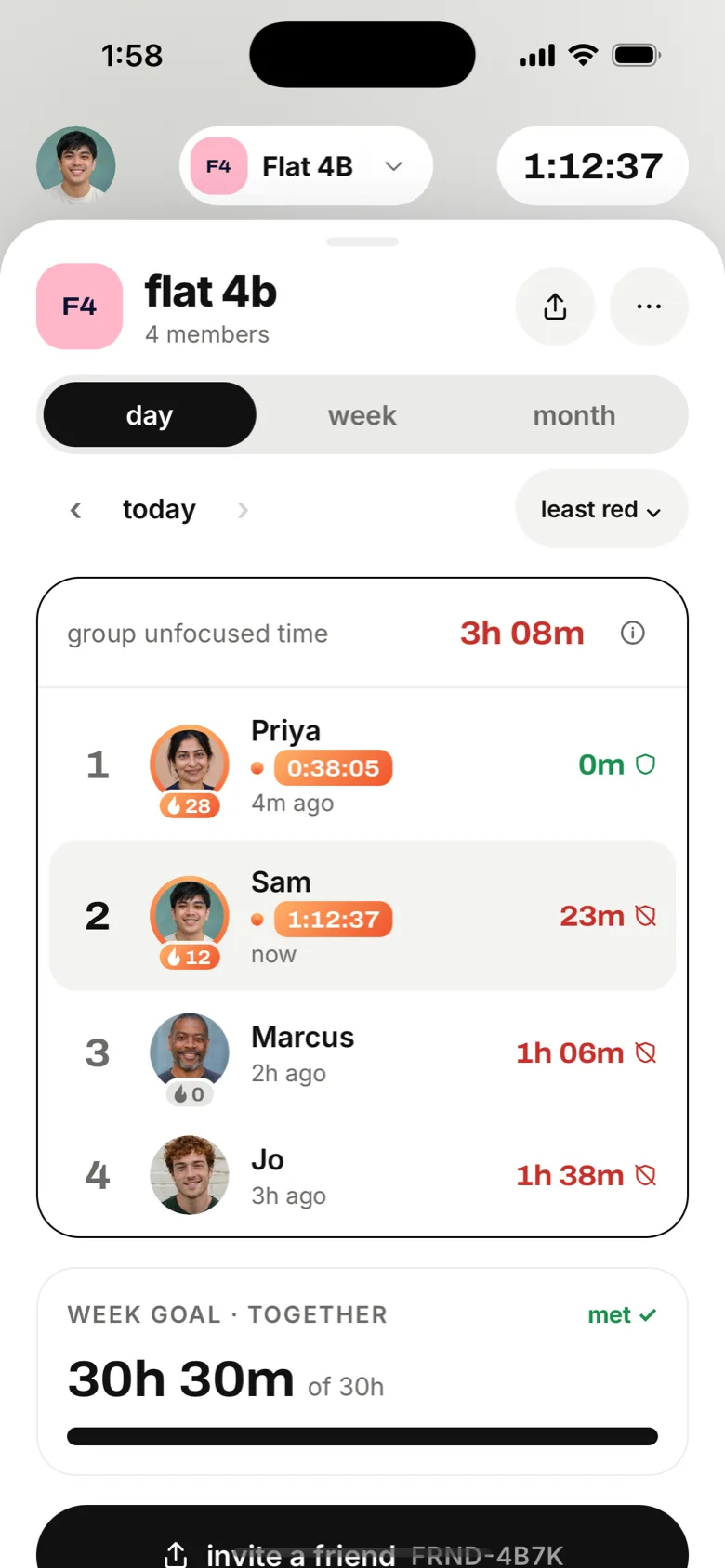
See how your time compares with your friends.
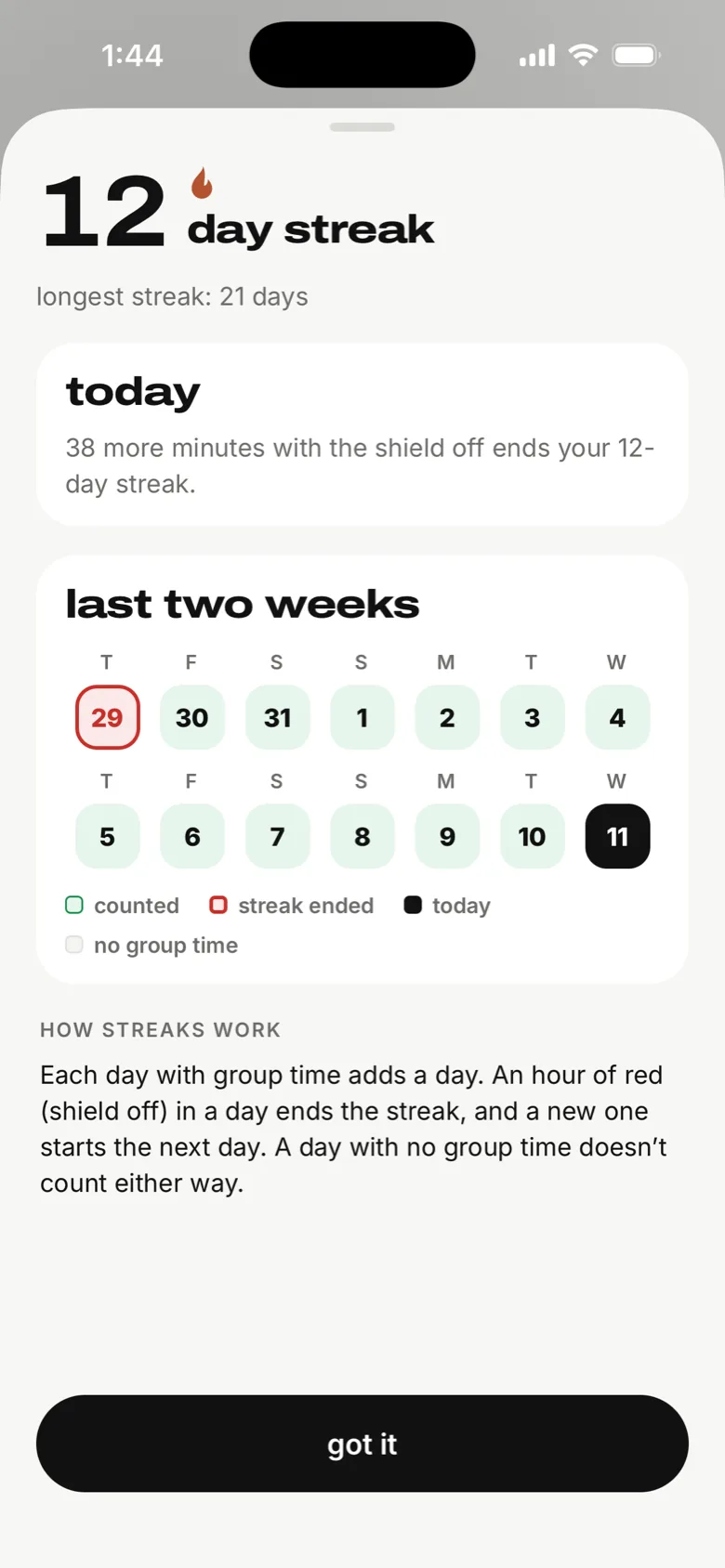
Each day with under an hour of red adds a day.
Your friends will see it. Every minute with your shield off shows on your group’s board as red time, and an hour of it in a day ends your streak. The app doesn’t trap you; it makes sure you aren’t the only one who knows.
No. Apple keeps your app usage on your iPhone, and we never receive it. Friends see your name, photo, focus time, red time and how many apps you keep. They only see which apps you keep when you show them your list on your own phone so they can approve it.
Phone and Messages always work. For anything else, pick the few apps you need, like Maps or a music app, and show the list to a friend in your group. Once they approve it, those apps stay open whenever your shield is on.
Screen Time limits are easy to dismiss because only you see them. Here, the apps you keep are approved by a friend, and your red time, the time your shield is off, sits on a board your group can see.
One other person is enough to start, because someone else has to approve your list. Groups work best with three to six close friends, roommates or family.
Yes, it’s free during early access. You need to be 18 or older, with an iPhone on iOS 26 or later and an Apple Account. It’s built on Apple’s Screen Time framework, so it isn’t on Android.
It’s free for as long as early access lasts. A paid plan will come after that, and we’ll tell you before anything changes.
Start a group today. It’s free during early access, on iPhone (iOS 26 or later), for ages 18+.
Free during early accessDownload on the App Store